

Introduction
Since Steve Jobs announced the launch of the Macintosh at WWDC in 1983, the highly anticipated Apple conference has taken the world by storm.
Apple has captivated tech enthusiasts and Mac devs during their annual Developers Conference, known as WWDC, for decades. From the Macintosh launch to transitioning into Apple Silicon, the WWDC highlights are groundbreaking. Apple fans from across the globe anticipate this week every year, hoping what’s on their WWDC wish list becomes a reality.
What is WWDC?
The Apple Worldwide Developers Conference (WWDC) is a week dedicated to Apple’s innovative technologies. Apple developers from all over the world come together to hear about the latest and greatest Apple technologies, software, and frameworks for all Apple operating systems.
“Throughout the week, developers will be able to hear from Apple engineers, designers, and other experts through more than 100 technical sessions, in-depth consultations, and live forums for guidance on building even more innovative and platform-differentiating apps and games across all Apple products.” - Apple Newsroom
This year, the WWDC 2024 Keynote had a heavy focus on customization, machine learning, Artificial Intelligence (AI), and privacy. There are lots of updates that gaming enthusiasts, devs, and creatives can use in all of the latest Apple platforms.
WWDC Highlights – 2024 Keynote Overview
Apple’s WWDC Keynote kickoff is arguably the most anticipated and ‘hype’ Apple event each year. And this year is no exception – With iOS 18, macOS 15, and other exciting software releases revealed at WWDC 2024.
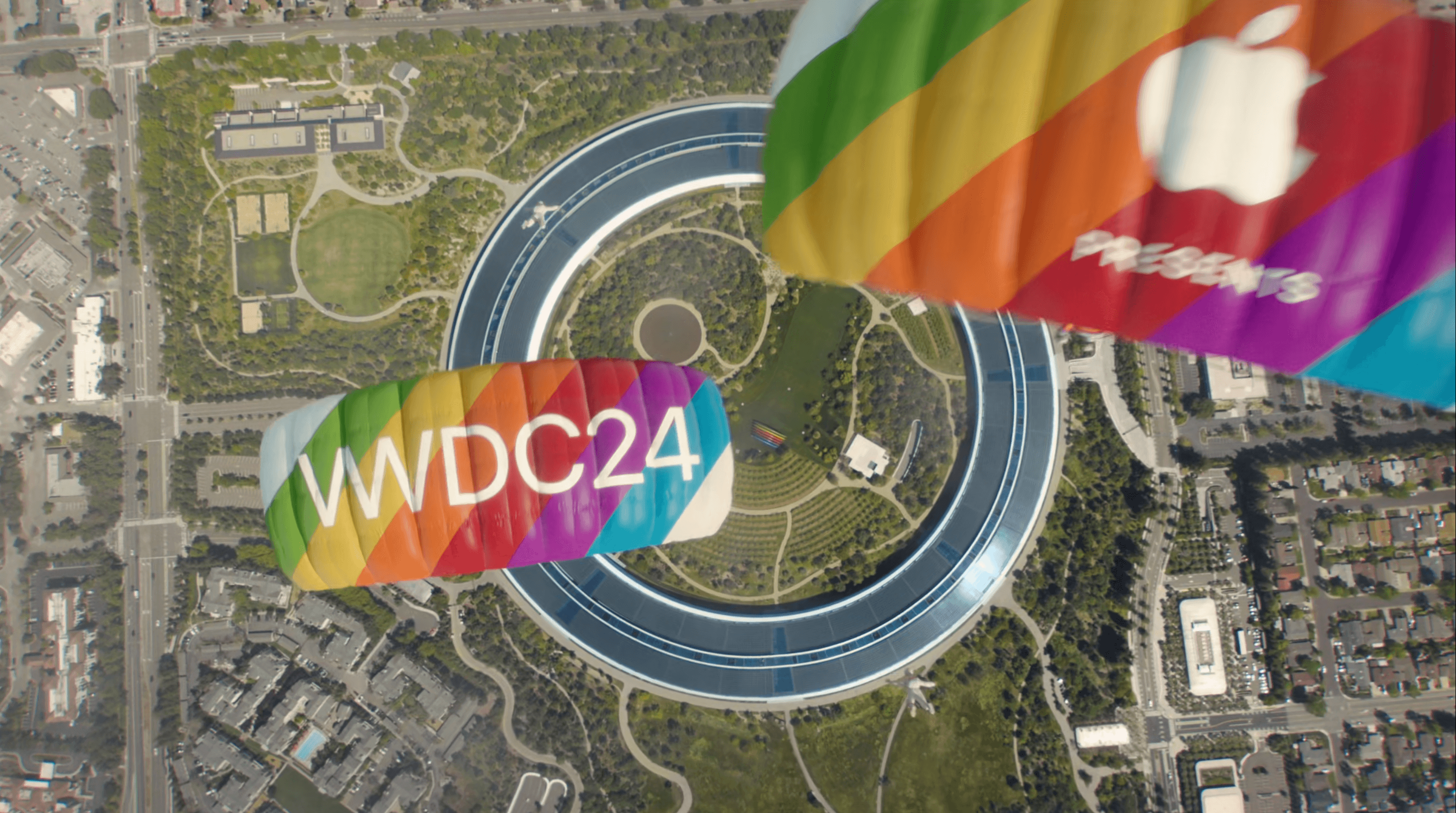
Starting the Keynote off on an exhilarating note, we saw Apple execs jump out of a plane and land in Apple Park. Let WWDC 2024 begin!
visionOS 2
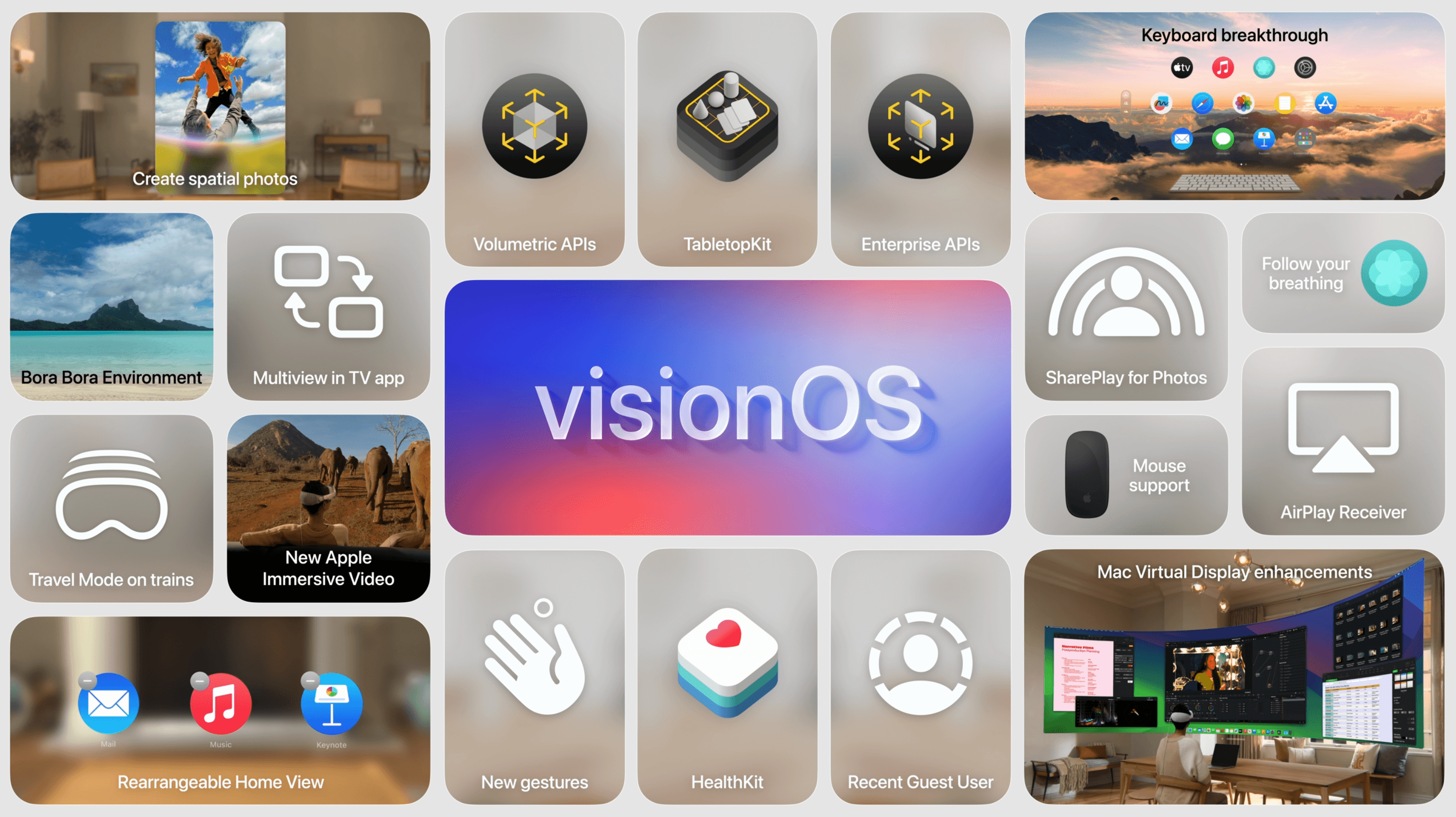
After a brief update on Apple TV+, the WWDC 2024 Keynote launched into the exciting new features of visionOS 2.

New and noteworthy highlights include:
- Spatial computing capabilities to bring your videos and images to life
- Have the equivalent of two 4k displays sitting side by side with Mac Virtual Display
- Use SharePlay to relive memories with friends and family
- Devs can create spatial apps with the new API
iOS 18
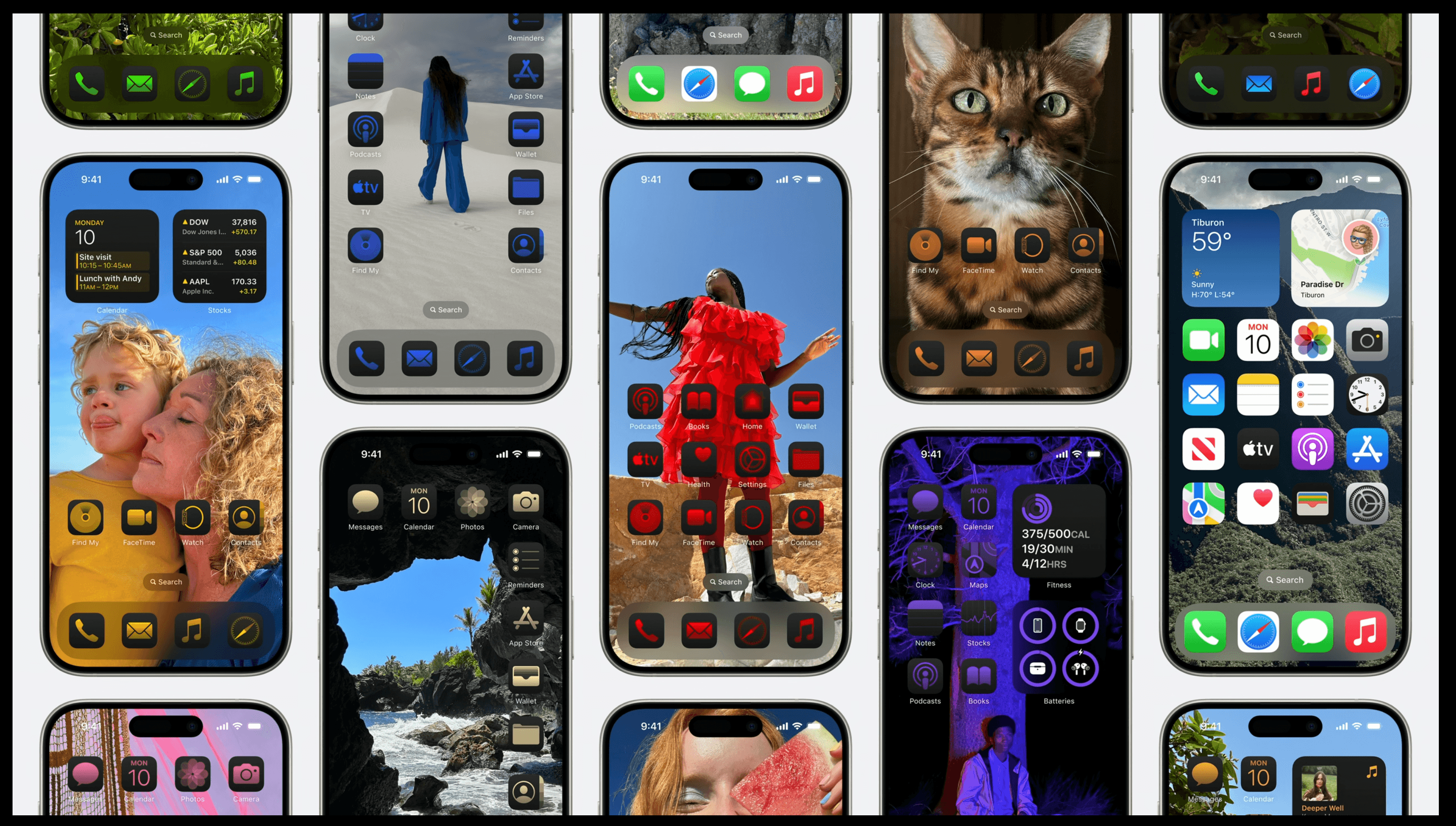
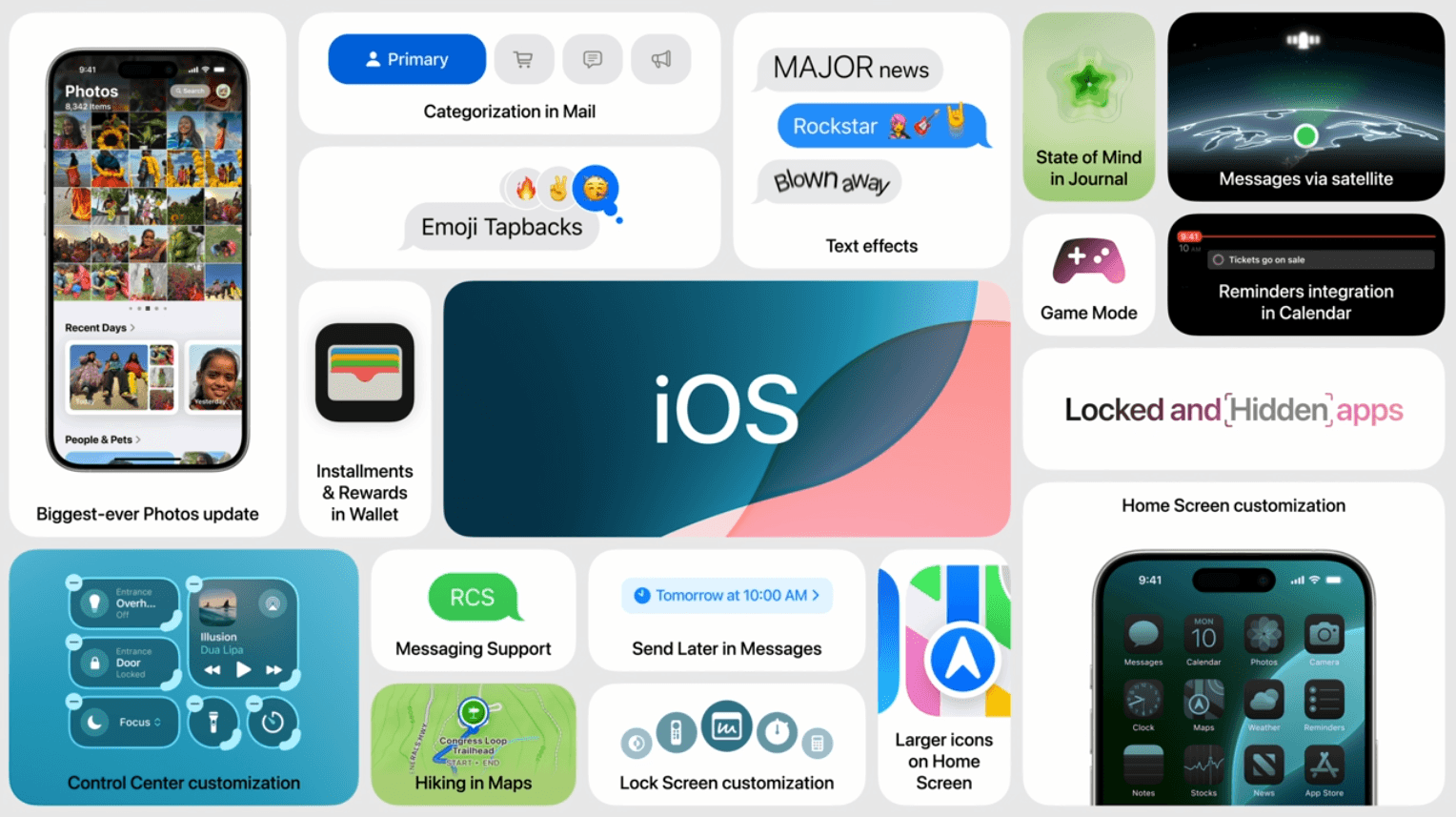
iOS 18 is here! Launching into the new iOS updates at WWDC 2024, Craig Federighi, SVP Software Engineering, introduces the exciting improvements of iOS 18. Several of your most used iPhone apps and features got a much needed upgrade, including home screen customization, Messages, Mail, Safari, Photos, Wallet, Notes, and much more.
New and noteworthy home screen customization updates:
- Rearrange your apps and widgets wherever you like, and change their appearance
- Add more controls from the Controls gallery
- Protect your sensitive data with hidden and locked apps
New and noteworthy Messages updates:
- Use any emoji on Tapbacks
- Schedule text messages, so you never forget to say ‘Happy Birthday’ again
- Messages via satellite with end-to-end encryption
New and noteworthy Mail, Maps, Wallet, Journal, and Gaming updates:
- On-device Mail categorization to help organize emails with Primary, Transactions, Updates, and Promotions categories
- Create custom walking and hiking routes on Maps, and save hikes for offline access when you’re off the grid
- Use Tap to Cash to securely send funds without sharing phone numbers or email addresses
- Keep track of your thoughts on Journal by logging your state of mind and tracking your goals
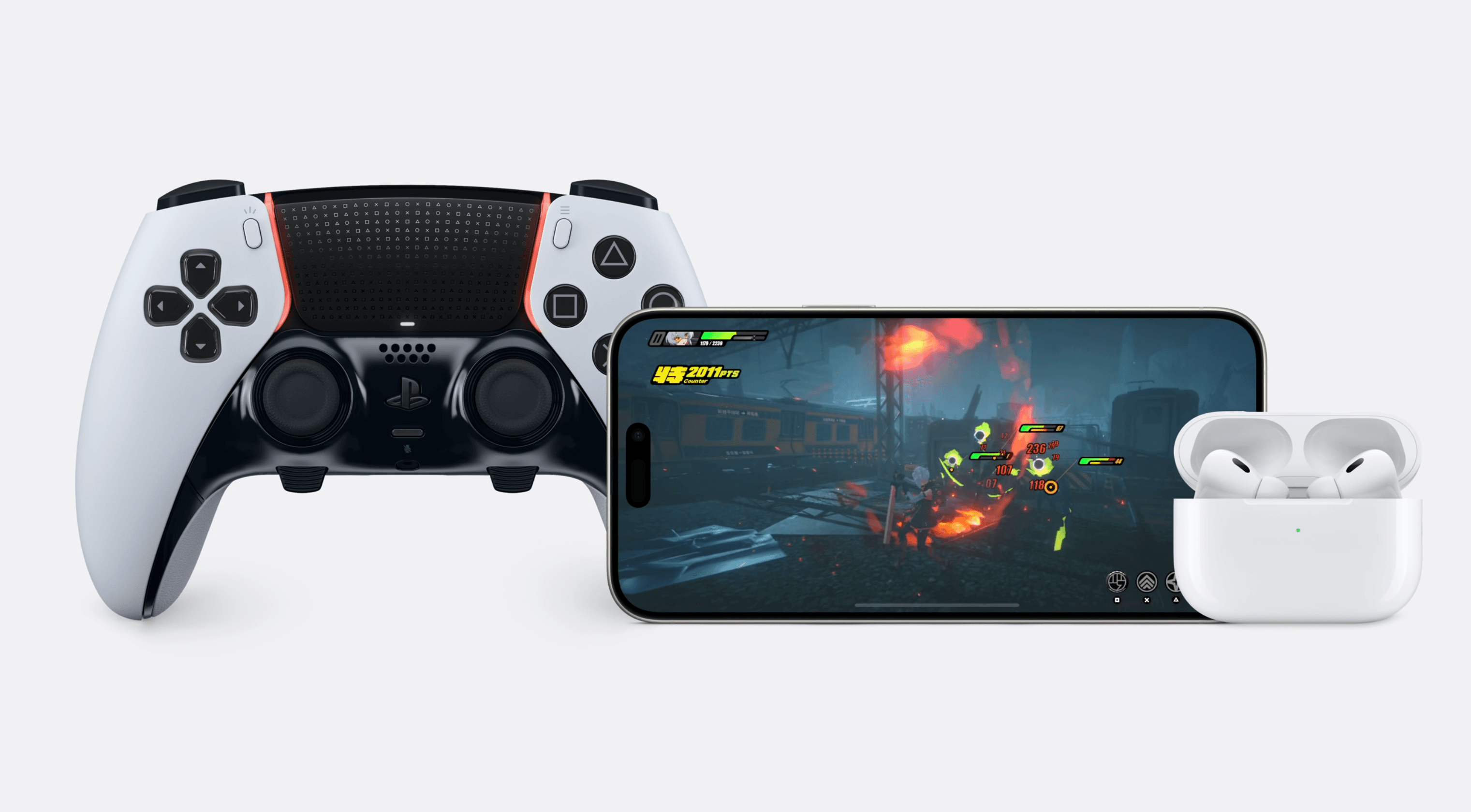
- Game Mode is coming to iPhone, minimizing background activities to help boost responsiveness when gaming
Ready to level up your game dev? Check out our blog: Top 3 iOS and Mobile Game Development Problems - Solved
New and noteworthy Photos updates:
- The ‘biggest redesign’ to the Photos app with a new, simplified single view look
- Filter out screenshots to reduce clutter
- Collections automatically organizes your images by topics for easy viewing
Home and Audio
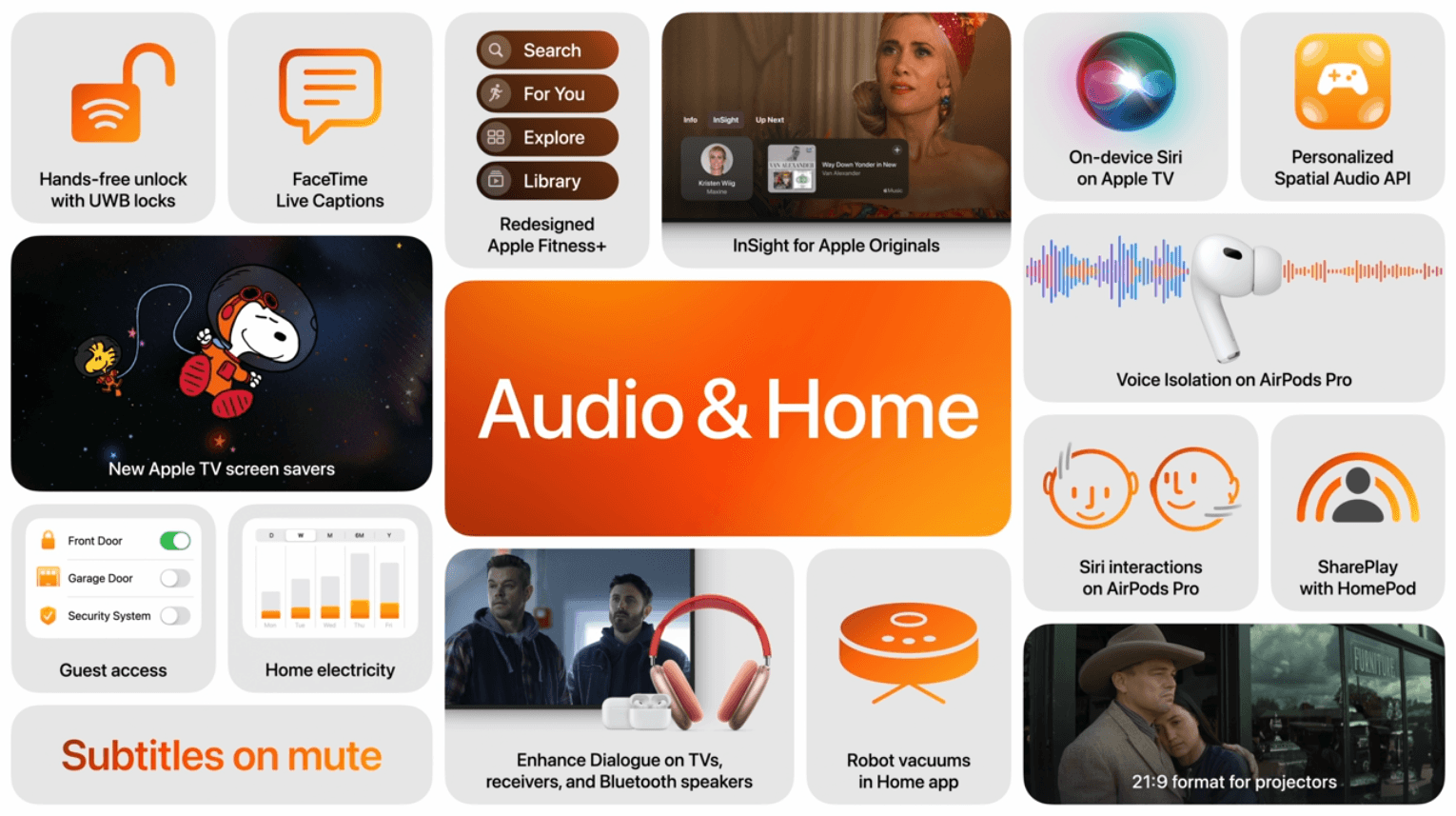
The next chapter of WWDC 2024 Keynote introduces us to important audio and visual updates with AirPods, homeOS, and tvOS.
New and noteworthy AirPods updates:
- Hands-free Siri gestures, so you can discreetly decline Gam-Gam's call in a crowded elevator
- Say goodbye to annoying wind noise with voice isolation on AirPods Pro
- Personalized Spatial Audio for mobile games (API available for devs)

New and noteworthy homeOS and tvOS updates:
- InSight allows you to swipe down when watching an Apple TV show or movie to see the details
- Enhance Dialogue is now available for TV speakers receivers, and other Bluetooth devices
- Apple TV now supports 21:9 projectors
watchOS 11
The new and improved watchOS 11 covers a lot of ground, including crucial updates for fitness lovers and ease of use capabilities to stay connected. There are also new features to better support your health and women-specific wellbeing.
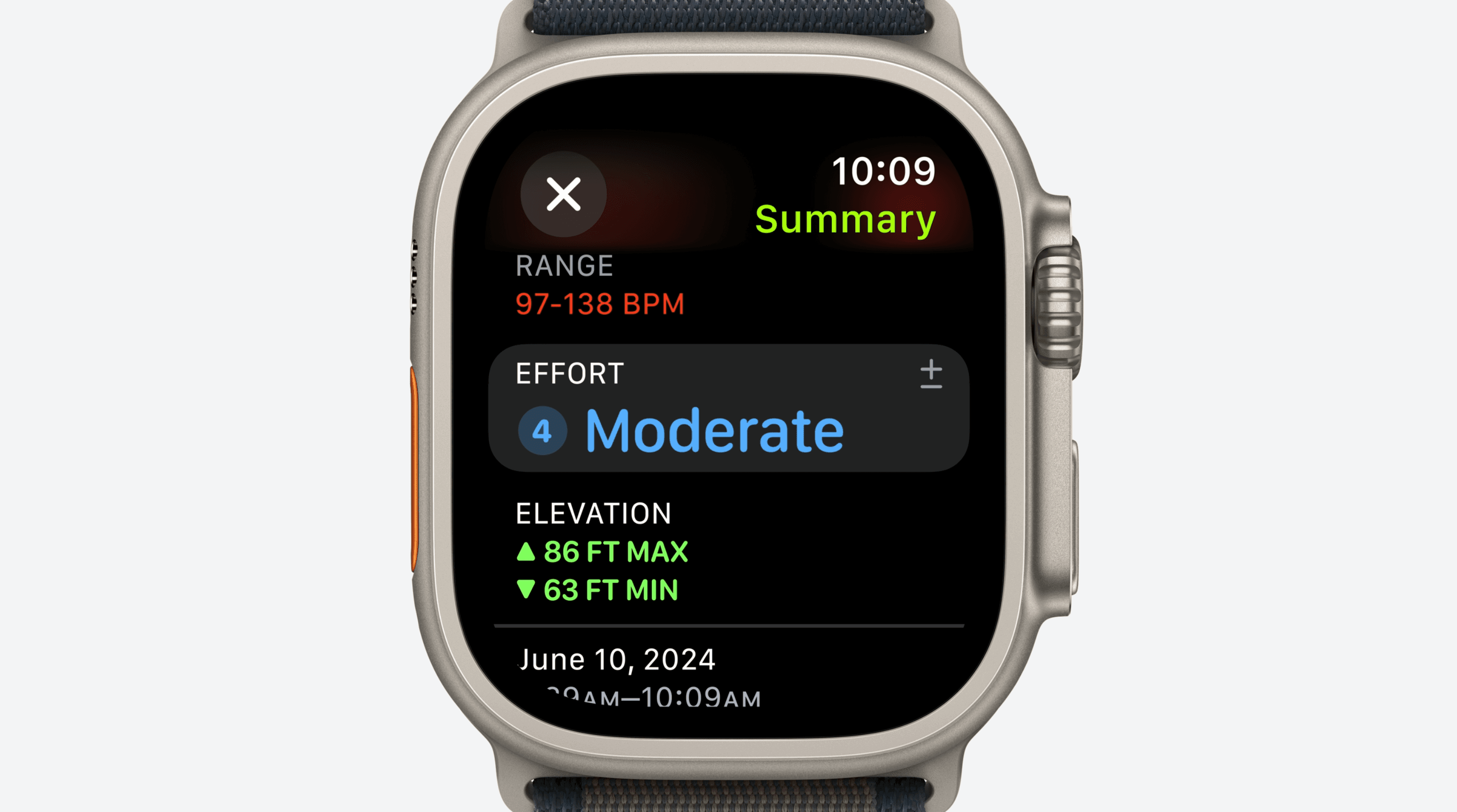
New and noteworthy watchOS updates:
- Training Load allows you to see, track, and update your effort rating during workouts to help control your exhaustion level
- Vitals shows you all of your health data in one place, and helps identify health concerns and patterns. Additionally, Cycle Tracking can now show gestational age during pregnancy
- Smart Stack is now more intelligent with new and automatic widgets

iPadOS 18
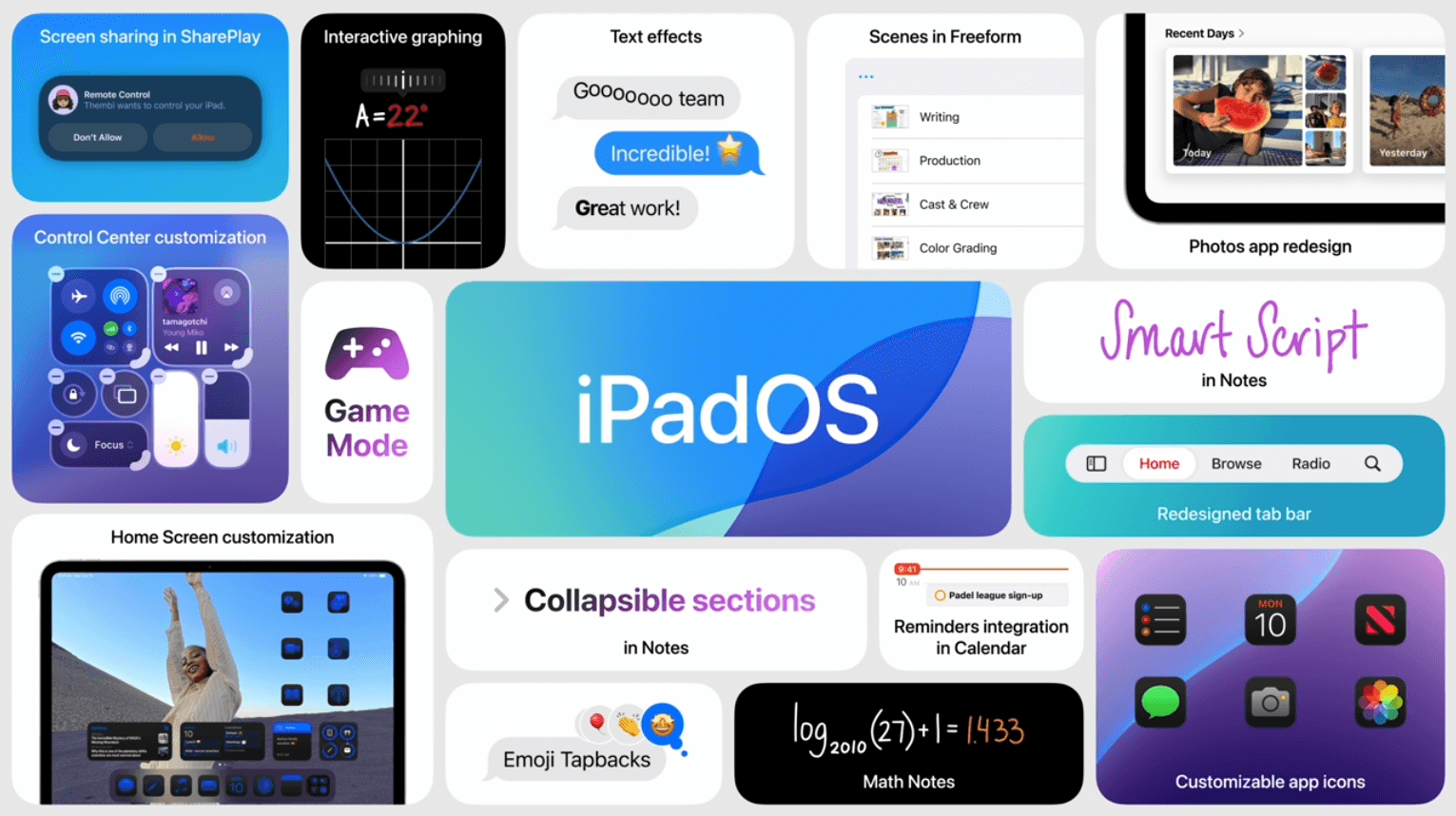
iPadOS 18 was previewed at WWDC 2024, including the long-awaited calculator app on iPad – Finally! Along with the newly redesigned iPad Pro and iPad Air early this year, the new iPadOS gives a fresh look and improved feel to many of your favorite iPad apps.
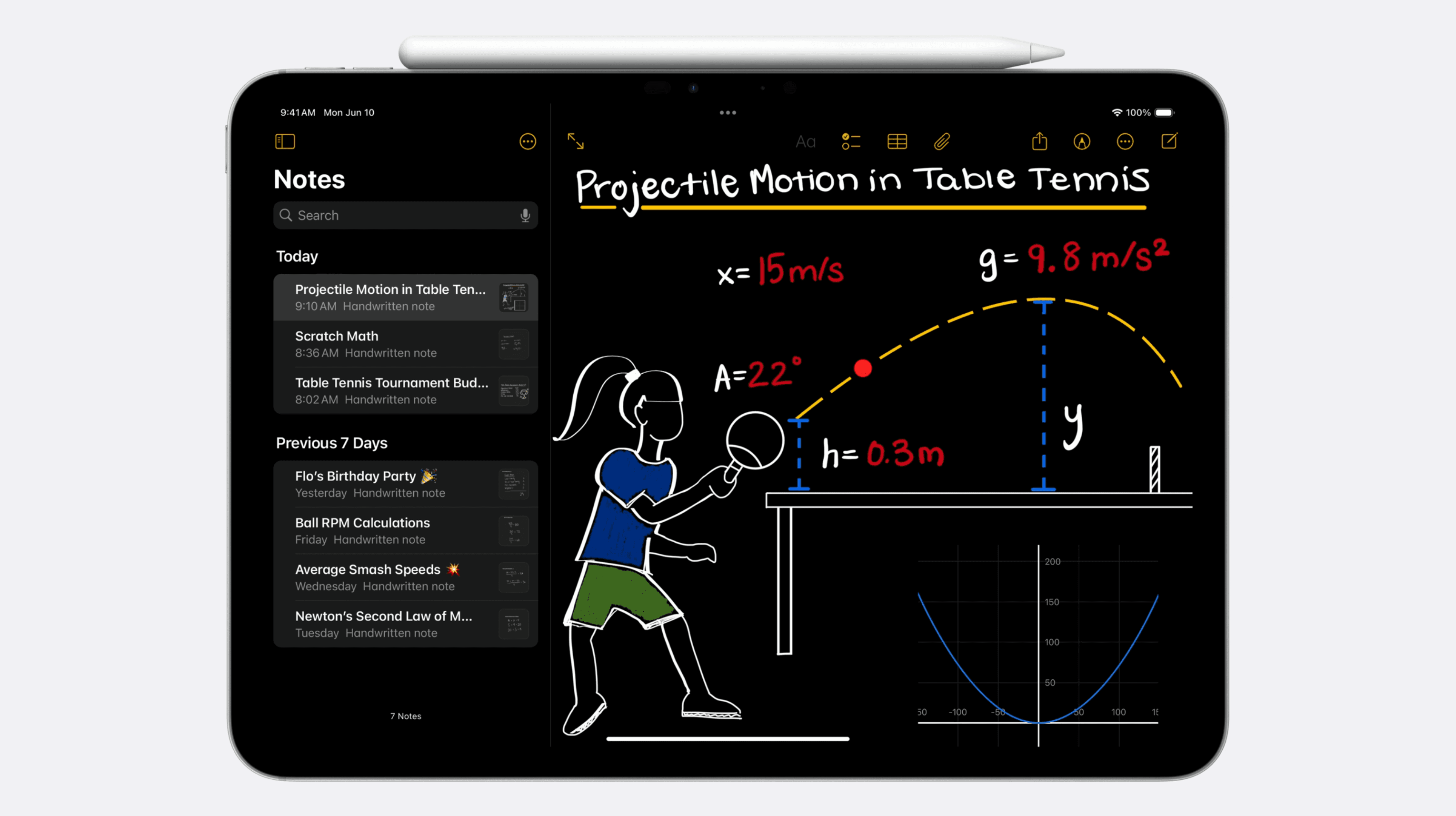
New and noteworthy iPadOS updates:
- Calculator + Math Notes allows you to write and automatically solve equations and create graphs from your data
- A redesigned tab bar that allows you to focus on the content that matters most
- Improve your handwriting with Apple Pencil + Smart Script – It will refine what you wrote so it looks a little less like chicken scratch
macOS 15
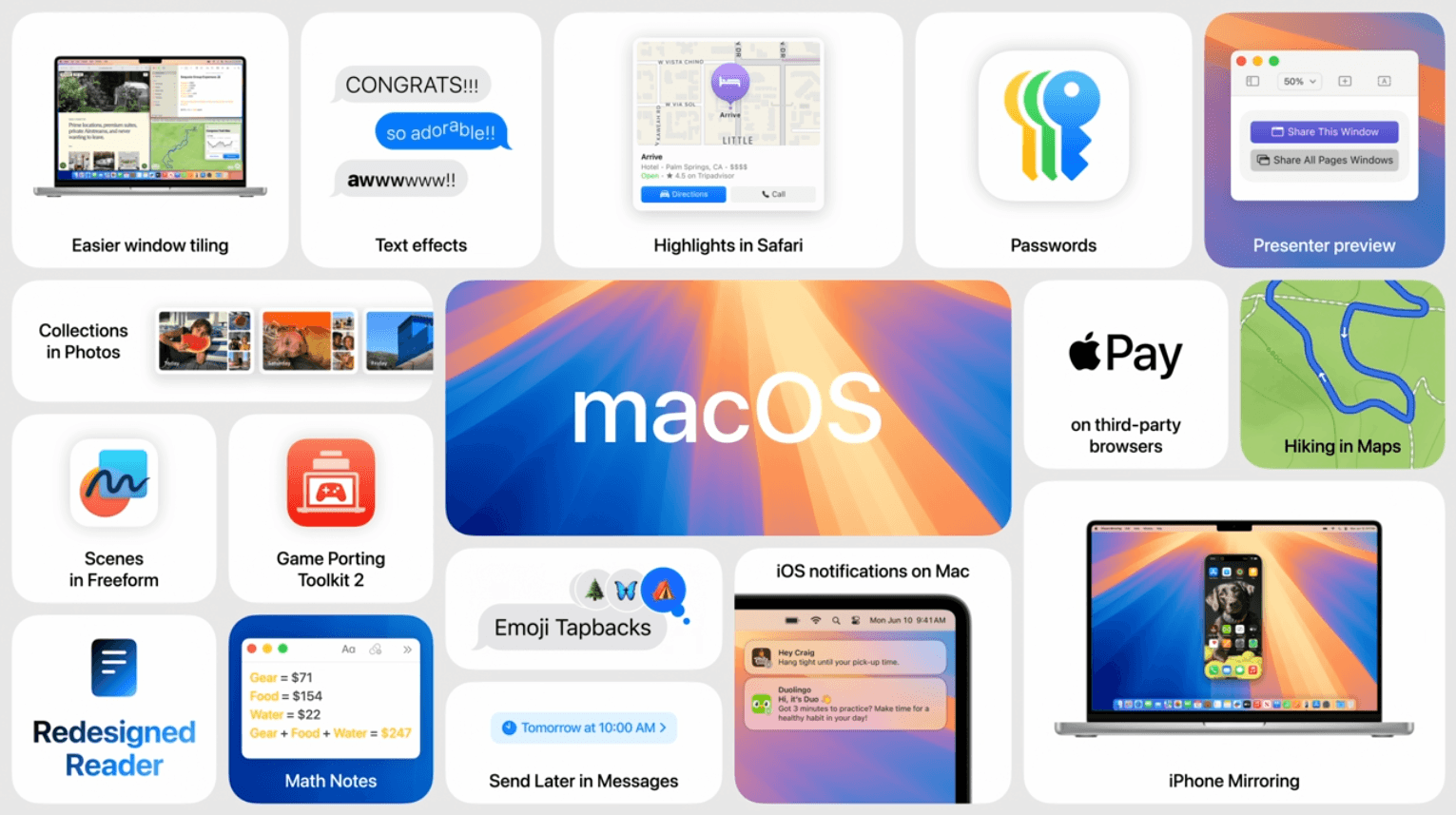
Drumroll please... The new macOS name continues the California-inspired trend with macOS Sequoia. There are several new features and improvements on macOS 15, including updates on continuity, productivity, gaming, Safari, and much more.
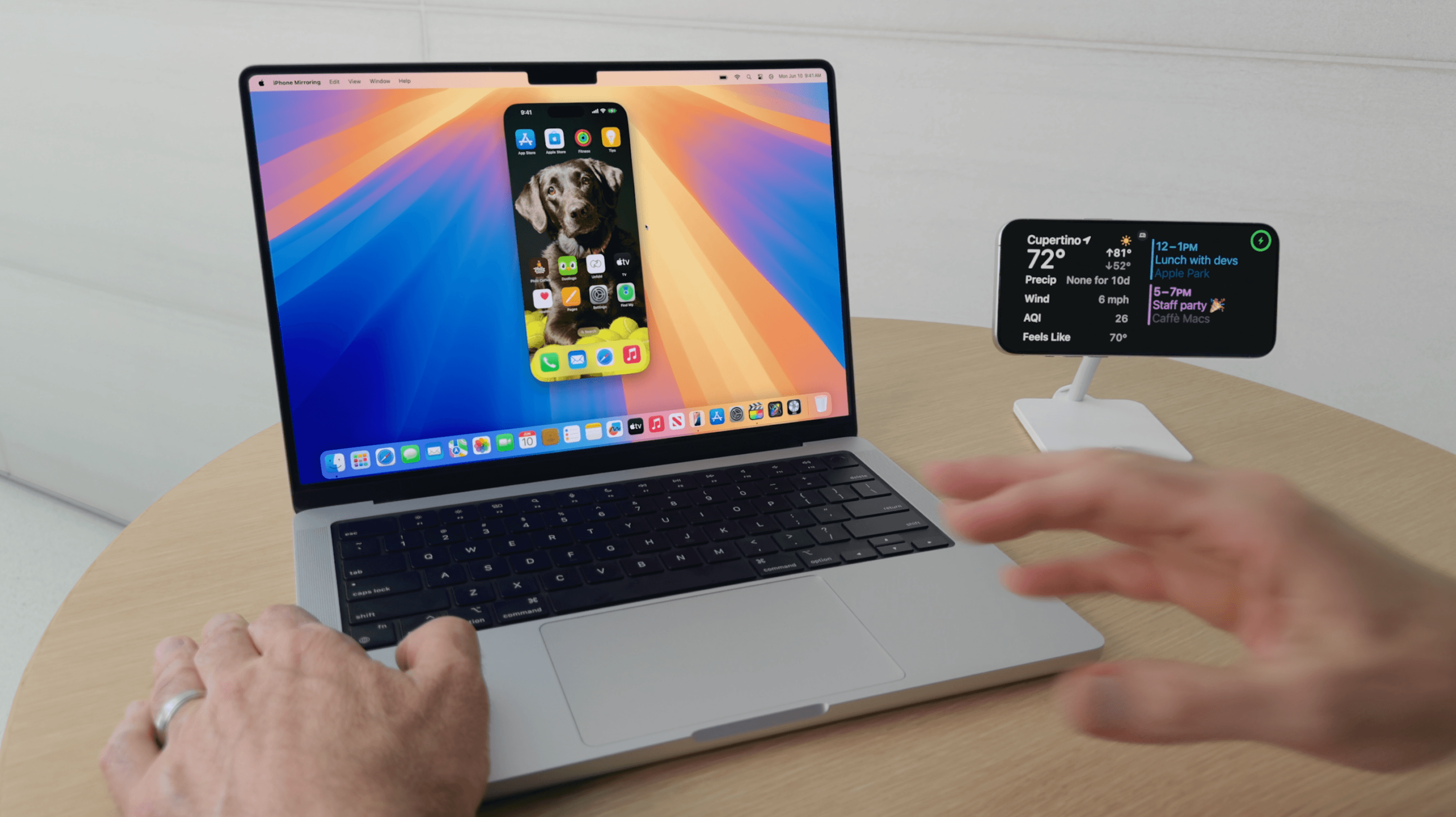
New and noteworthy continuity updates:
- Use and control your iPhone from your Mac with iPhone Mirroring
- Receive iPhone notifications on Mac and take action when using iPhone Mirroring
- Easily drag and drop files, photos, and videos between iPhone and Mac
New and noteworthy productivity + Keychain updates:
- Drag windows into tile positions for the ultimate multi-tasking setup
- Video conferencing just got easier with presenter preview, so you never over-share your screen again
- The new Passwords app helps keep all your credentials in one place, stored securely
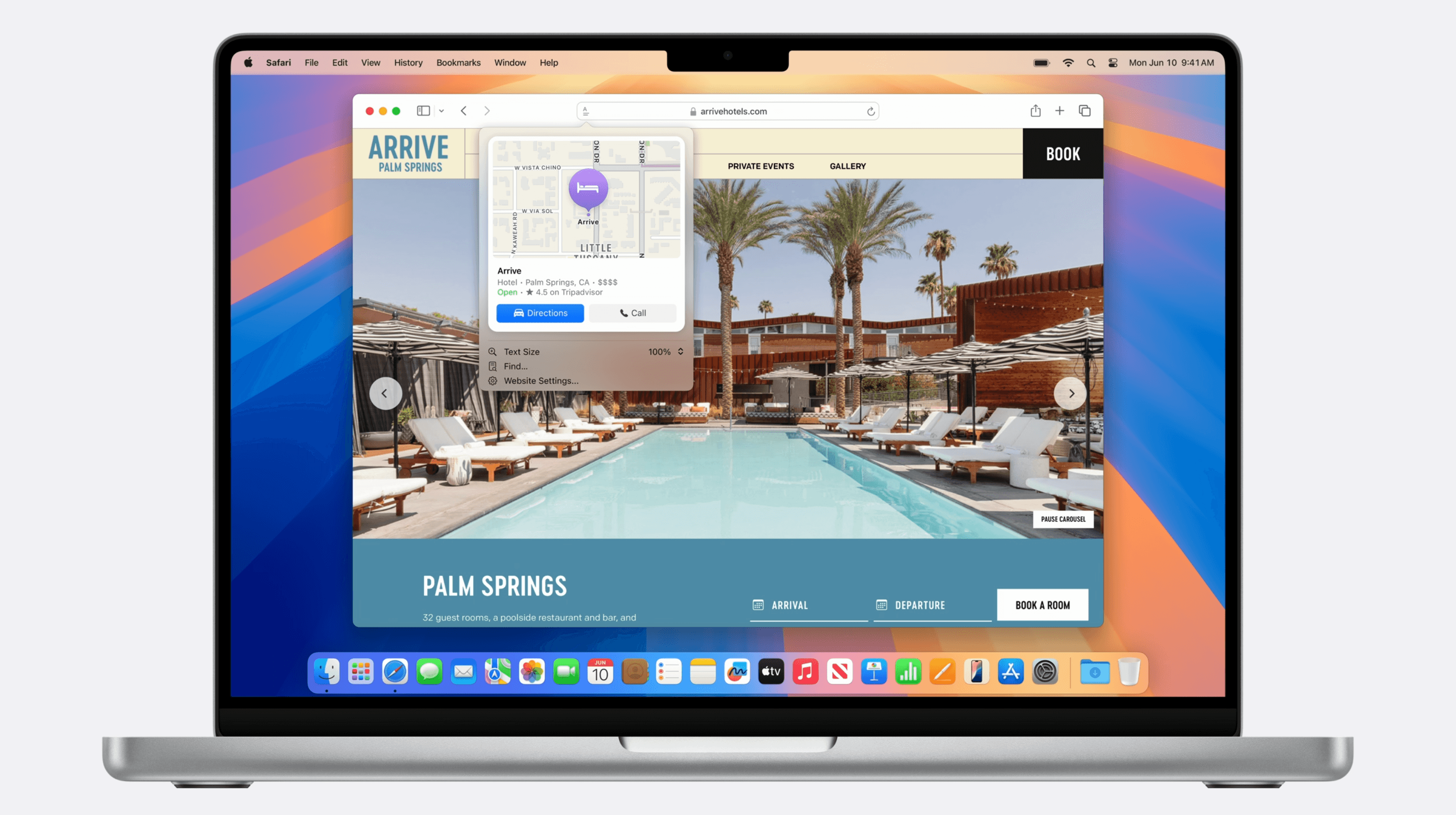
New and noteworthy Safari updates:
- Introducing Highlights, which uses machine learning to automatically detect relevant information and highlights it for you as you browse
- Reader automatically removes distractions from articles and gives you a high-level summary
- Viewer gives you a new video experience that limits distractions and puts the web video front and center
New and noteworthy gaming updates:
- Immersive gaming experience with Game Porting Toolkit 2 for game devs with Xcode support
- More and more games are becoming available on Mac, iPad, and iPhone
- Ubisoft announced Assassin’s Creed: Shadows is coming to Mac and iPad
Apple Intelligence
At WWDC 2024, Apple announced Apple Intelligence – ‘AI for the rest of us’
This is the ‘next big step for Apple’ as they make moves in the AI and machine learning space with integrations and updates throughout macOS, iOS, and iPadOS. Powerful generative models + top security measures creates a whole reservoir of impactful capabilities for users.

Noteworthy capabilities:
- Deep language understanding makes your day-to-day tasks easier with automatic task and notification prioritization and rewriting text tools
- Create original and personal images using generative AI image tools built into your favorite apps
- Apple Intelligence can tap into different apps and make actions on your behalf to save you time and effort
- Retrieve and analyze personal information across apps to present cohesive data directly to you
Noteworthy privacy protections:
- Built with privacy at the core – On-device processing allows for data awareness without collecting your personal data
- Advance language models + Apple Silicon can adapt on the fly with your current activity
- When you make a request, Apple Intelligence can pull personal data from across devices to best assist you
- Private Cloud Compute allows Apple Intelligence to draw on larger server-based models, running on Apple Silicon, to handle more complex requests for you while protecting your privacy
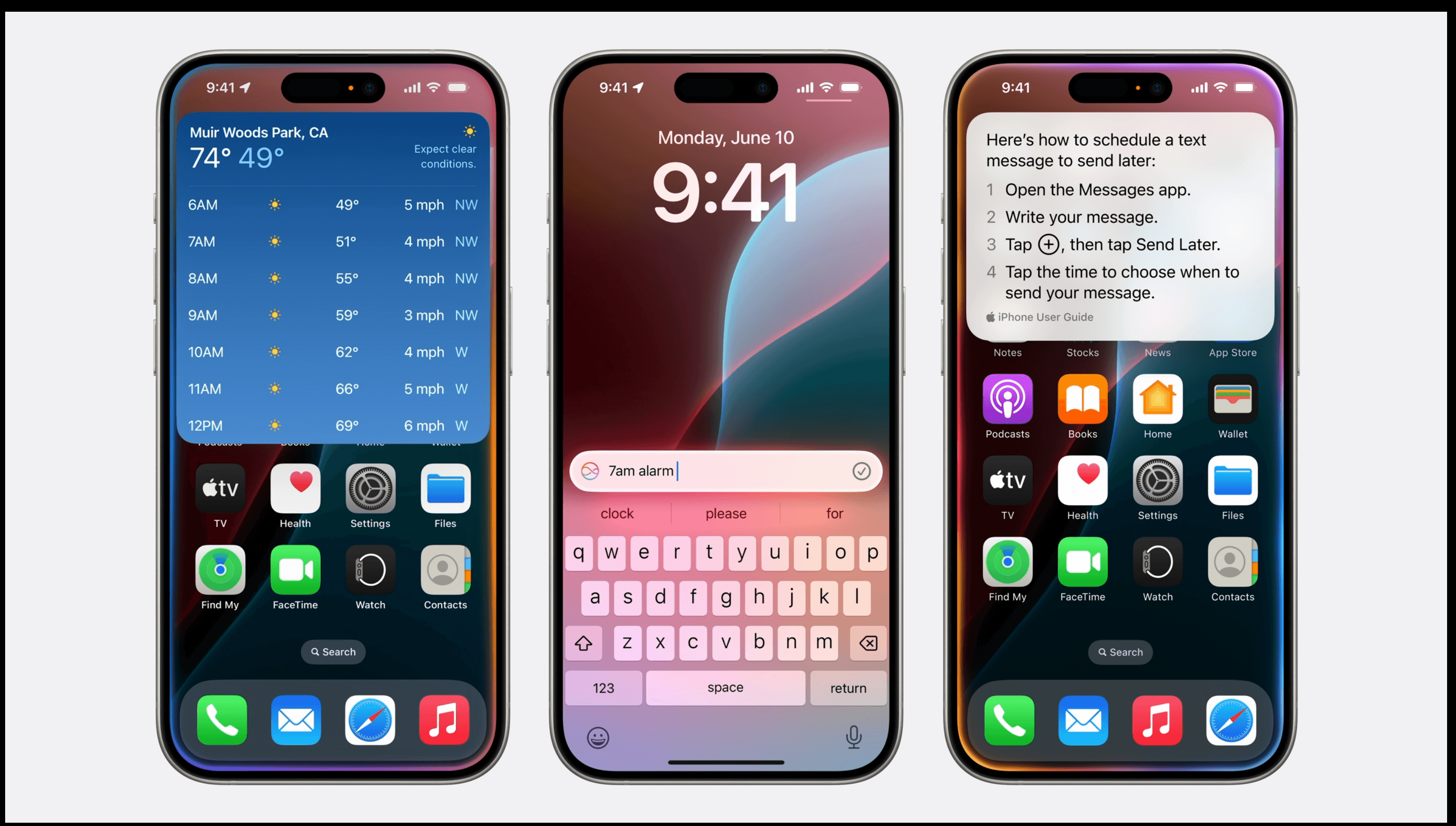
Noteworthy Siri updates:
- New look and feel, with a glowing light that wraps around your screen when using Siri
- Improved language capabilities – Siri can understand you even if you stumble over your words and conversational context with follow up questions and commands
- You can now type to Siri when you don’t want to use your voice
- On-screen awareness so Siri can take action on your screen within your most used apps, and take actions on your behalf across different apps
- App Intents API will be available for devs to tap into
- Awareness of your personal context allows Siri to find and understand things it never could before, helping you get more done faster
Noteworthy Writing Tools updates:
- Rewrite helps reword your text and change the tone so it sounds perfect for your personal or professional situation
- Proofread can correct your grammar and help you improve for next time
- Smart Reply in Mail can pre-populate intelligent responses so you can quickly respond or RSVP
- Sorting through emails can be a pain. Apple Intelligence creates summaries so you can efficiently sift through your inbox
- Notifications are also summarized, so when your group chat is exploding, you can quickly get the TL’DR
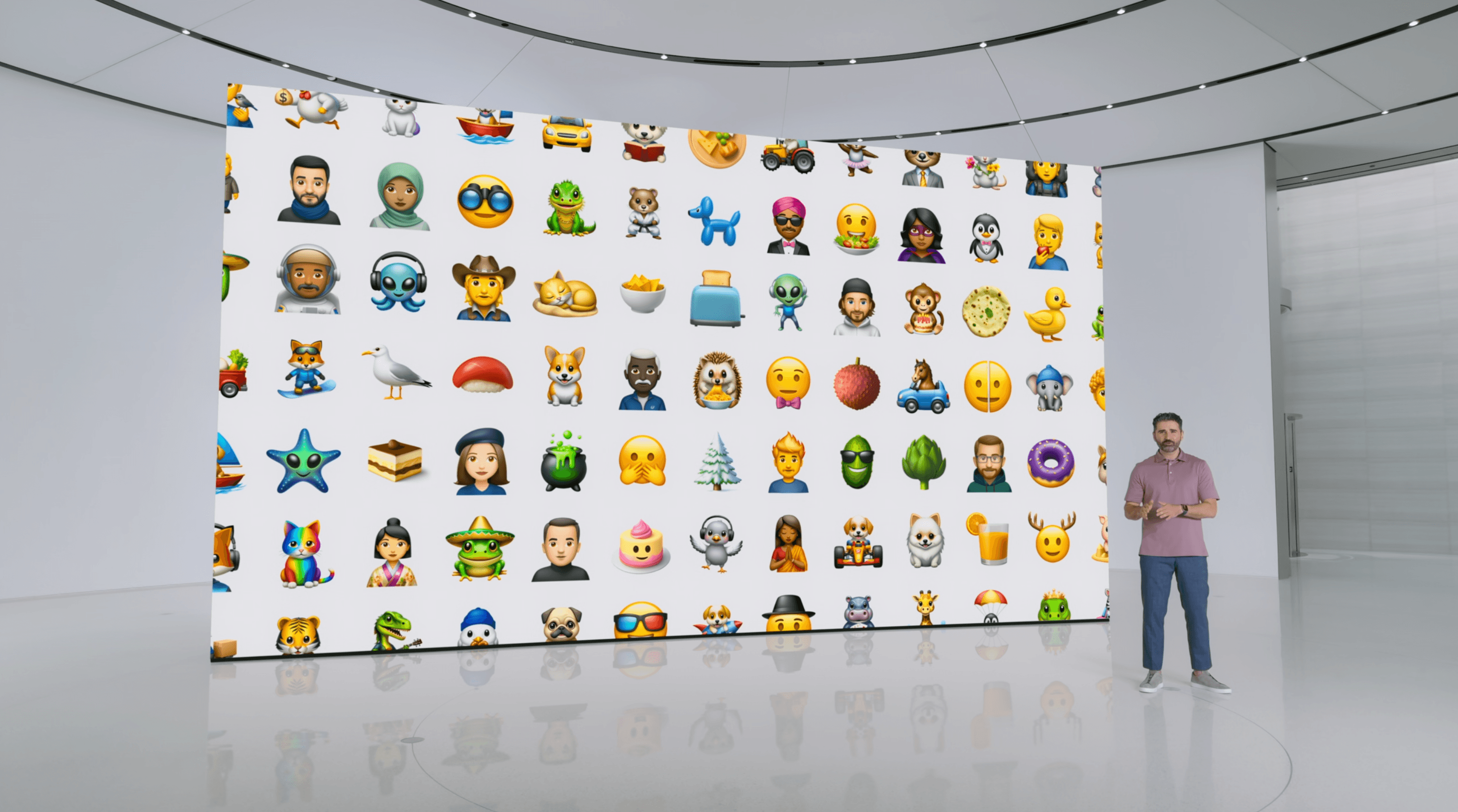
Image updates:
- Custom emoji’s are here, called Genmoji
- Image Playground allows you to use generative AI to create custom images in apps like Messages and Freeform, or in the Image Playground app. Plus – devs can use the API in their own app
- Image Wand takes your Notes to a whole new level – Draw a sketch, circle it, and Image Wand can create a full image from your rough sketch
- Photo editing just got easier with Clean Up. Quickly remove background objects with ease
- Use natural language phrases to search photos and videos to find exactly what you're looking for in a fraction of the time
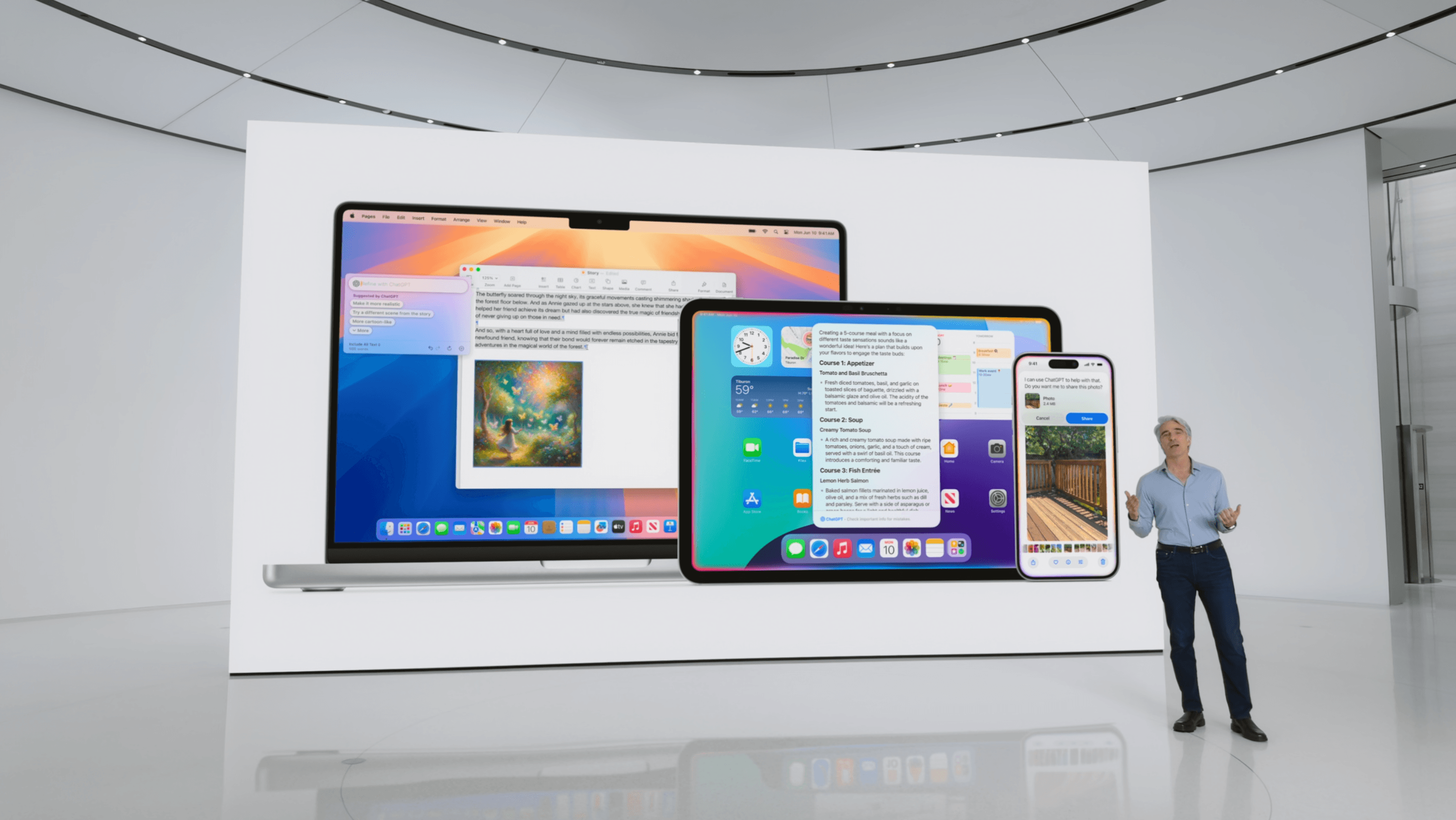
ChatGPT integration updates:
- OpenAI’s ChatGPT 4o is now integrated with Siri and Writing Tools so you don’t have to jump between tools
- You control when to use ChatGPT or not, it will always ask for your permission
- A paid ChatGPT account is not required to use, you can use it for free, however if you have a paid subscription, you can tap into the benefits directly from your device
WWDC 2024 Recap
TL;DR – Apple’s 2024 WWDC highlights include the reveal of numerous features in iOS 18, macOS Sequoia, Apple Intelligence, and other Apple platforms. Customization and AI features are definitely at the forefront of Apple’s mind in this year’s line up.
We’re excited to see the release of these exciting announcements come to life later this year, and patiently anticipating the reveal of M4 on Mac mini. In the meantime, check out our list of bare metal Macs that compare.