

Orka Desktop 3.1.0: Now GA with Support of macOS 26 Tahoe
Introduction to Orka Desktop 3.1.0
Orka Desktop 3.1.0 has made improvements needed by developers to create iOS build images for local or CI pipeline use that make it easier than ever to deploy an Orka image in your environment and get the native Apple virtualization performance Orka is known for. And best of all, it is and always will be free!
Here’s a quick Orka Desktop 3.1.0 feature overview:
- macOS 26 Tahoe support: create Orka OCI images with the latest guest OS.
- Support for the newer OCI format: Run newer macOS versions such as Sequoia and Tahoe, or revert to our original OCI format (Sonoma) for backward compatibility with Desktop 3.0.
- Support for clipboard sharing: Orka Desktop now supports copy-paste operations between host and guest.
- VM shared storage: you can now mount locally attached storage to your Orka VMs through the GUI to transfer larger files between host and guest.
What’s new in Orka Desktop 3.1.0
Our products continue to evolve with ongoing improvements and user-driven updates. Discover the latest features in Orka Desktop 3.1.0:
Shared storage mounting
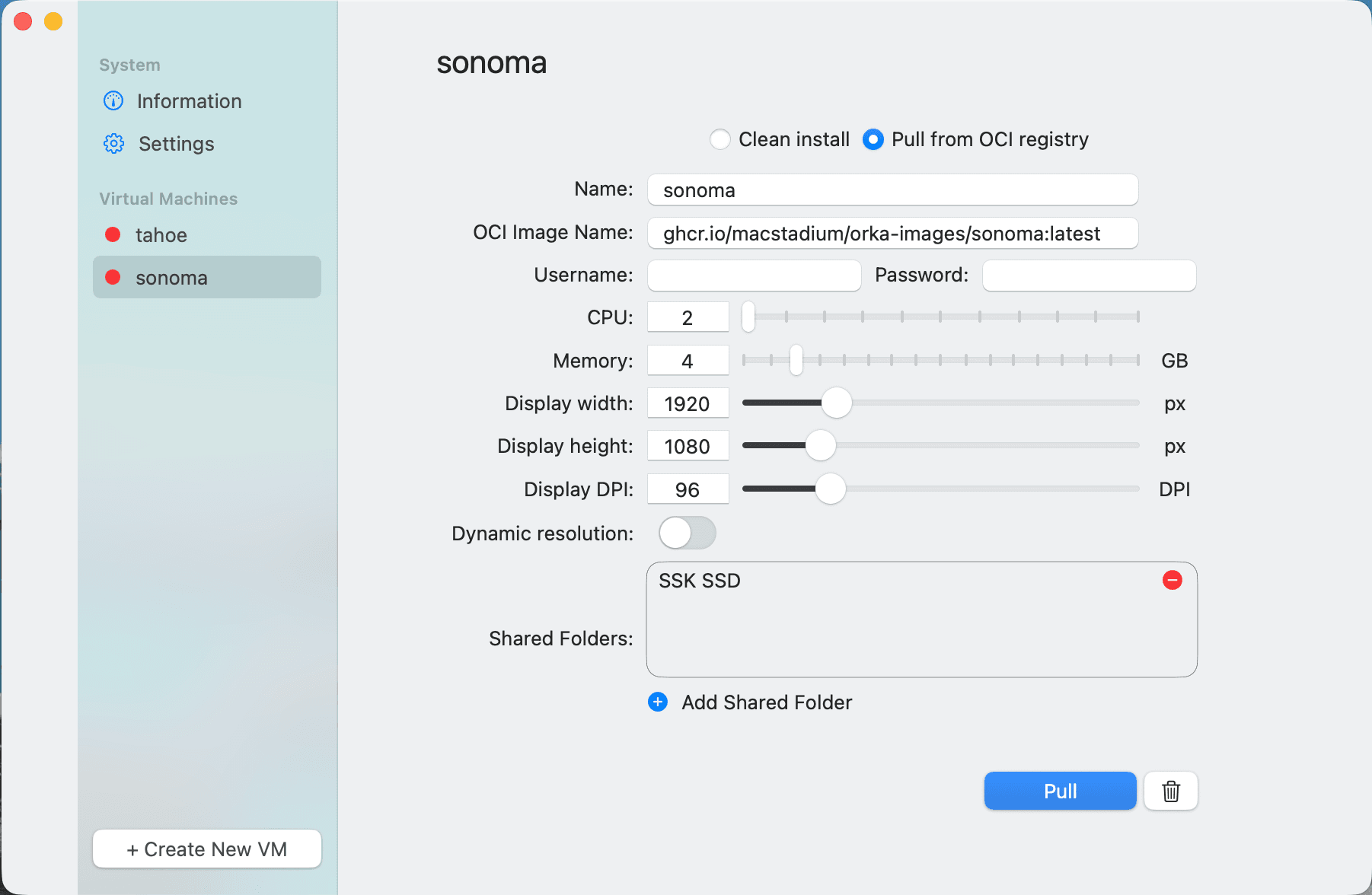
Create storage mount points from the host system on Orka VMs through the GUI by choosing the new Add Shared Folder button, including network-attached storage. Previously, users could mount an SMB share on a guest or host to access larger files or code repos stored on the host to the Orka guest. Orka Desktop 3.1.0 now adds the mount functionality with simple GUI operation.
Support for new OCI image format
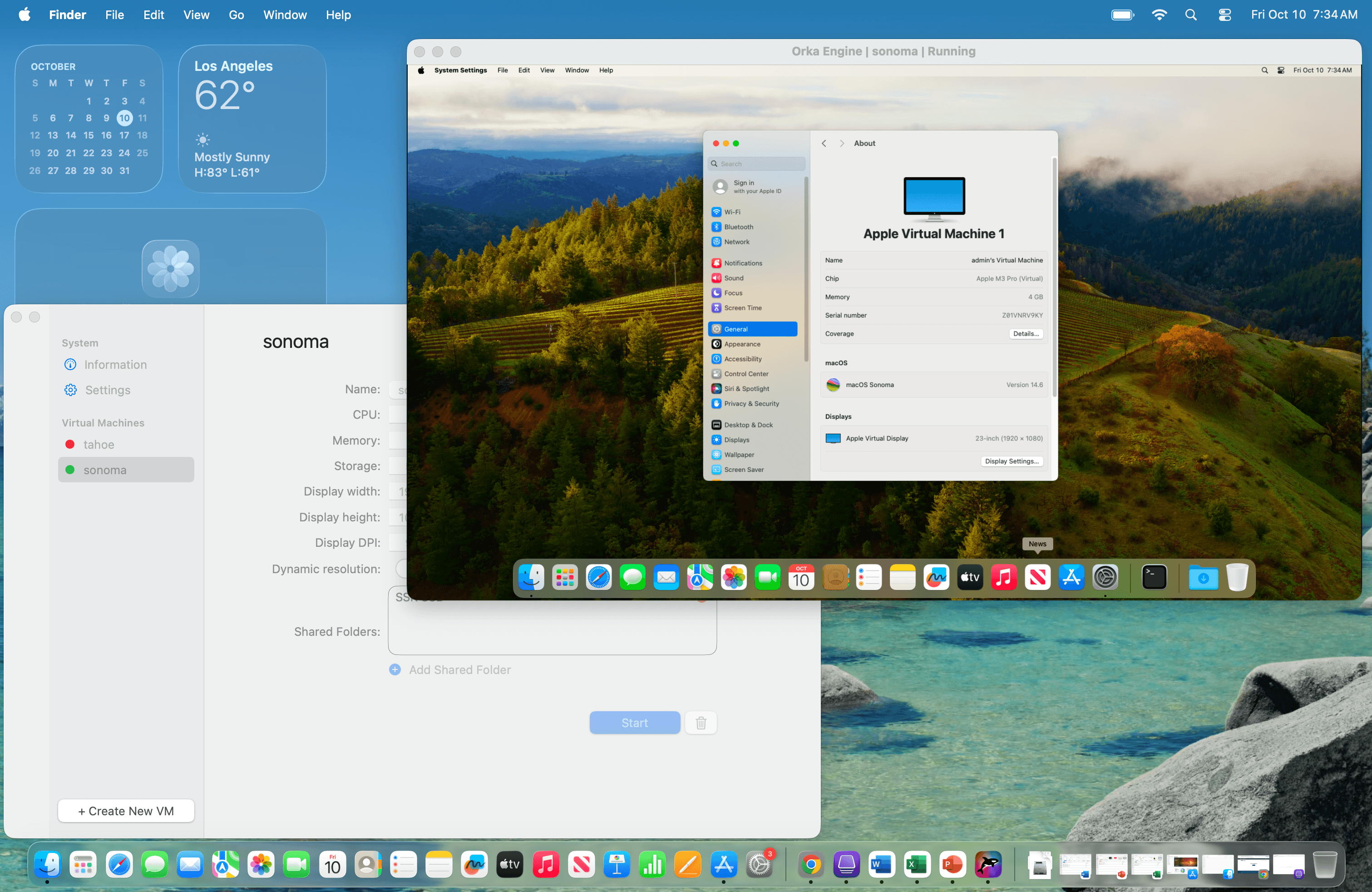
Orka Desktop 3.0 only supports the original OCI format that utilizes Apple Archive. The newer format associated with our fully managed Orka CI platform release 3.2 and later utilizes a compression-only format.
Newer Orka OCI images for Sequoia and later found on our image registry (github.com/macstadium/orka-images) would not properly load using Orka Desktop 3.0. Orka Desktop 3.1.0 supports both formats, and you can now push or pull images in either format for backward compatibility.
Guest clipboard sharing support
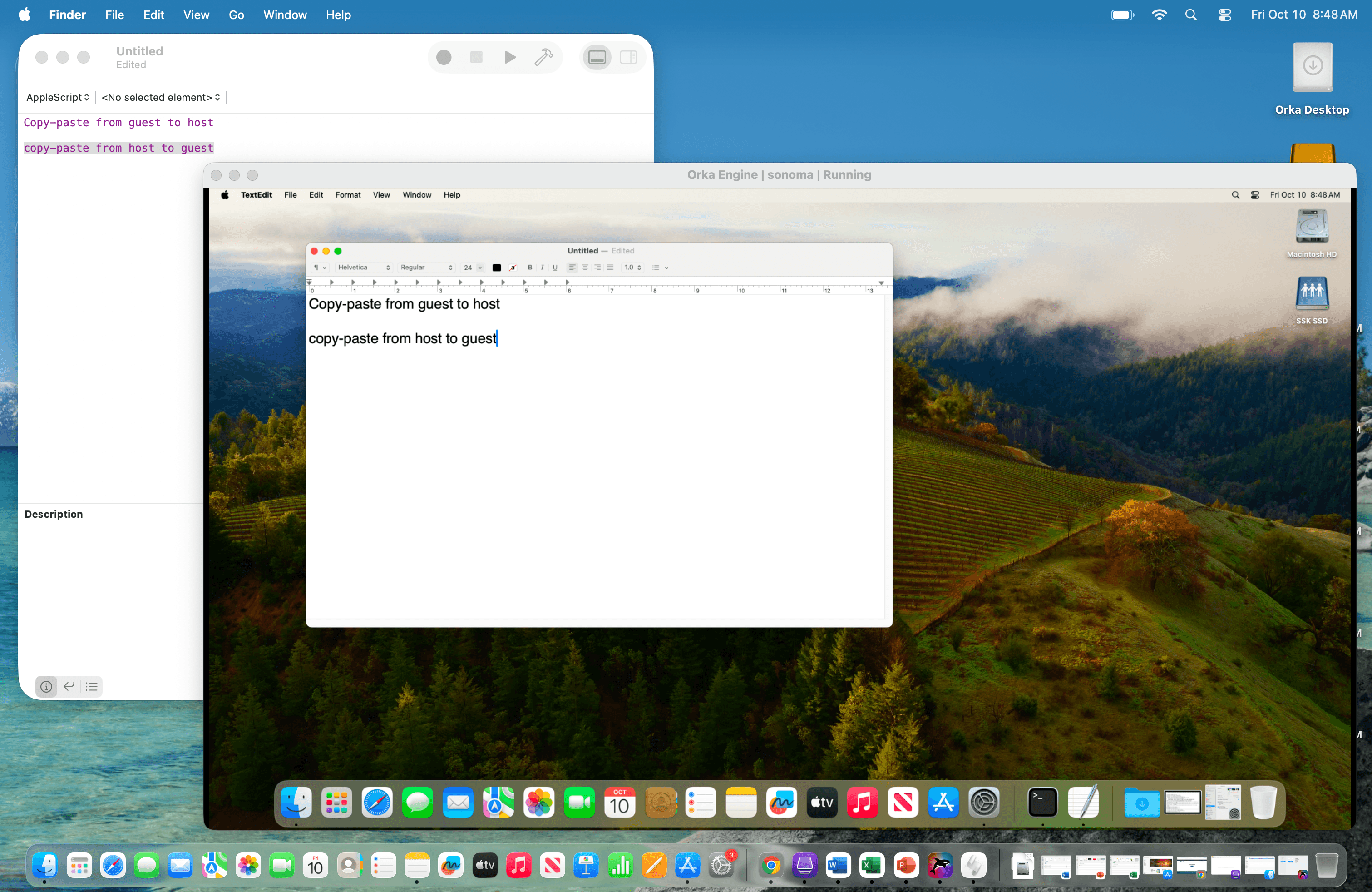
To make it easier to share data between host and guest, Orka Desktop 3.1.0 now supports clipboard sharing, allowing simple copy-paste operations for text data and smaller files.
How to use Orka Desktop 3.1.0 to build an image
Orka Desktop 3.1.0 makes it simple to test on macOS 26 Tahoe by letting developers virtualize macOS environments directly on their local machines. It also streamlines collaboration with the ability to share VMs through an OCI-compliant registry, making troubleshooting and build verification more efficient.
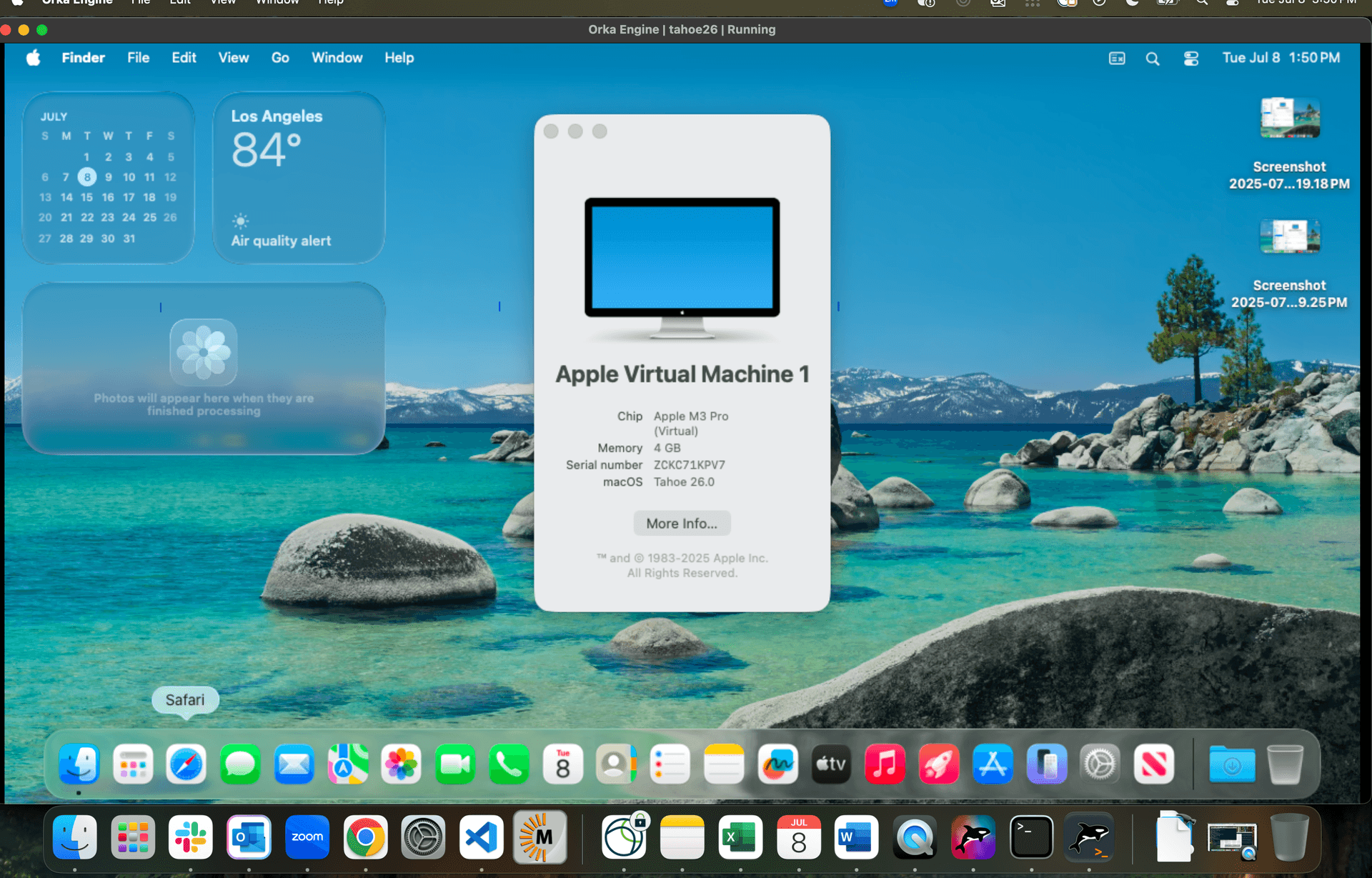
Get started in a few easy steps:
- Download Orka Desktop 3.1.0 and pull the latest image from our OCI repo, Tahoe latest, or visit OrkaHub.
- Install the necessary tools and start testing; you can save your progress locally or in your repository at any point. Use our Hashi Packer image templates to customize your build image from our template.
With Orka Desktop 3.1, you can detect and address build, integration, and performance issues early on, helping you save time and resources while ensuring a seamless transition to macOS Tahoe while easily maintaining backward support to previous versions of macOS or even images created in Orka Desktop 3.0.
Download Orka Desktop 3.1.0
System Requirements
In order to download Orka Desktop 3.1.0, you must have an Apple M1 with 8GB RAM and 50GB disk space.
You also must be running one of these current OS versions on your host:
- macOS X 26.0+ (Tahoe)
- macOS X 15.0+ (Sequoia)
- macOS X 14.0+ (Sonoma)
How to download Orka Desktop 3.1.0
Ready to start testing on macOS 26 Tahoe? Get started and download Orka Desktop 3.1.0 today!